
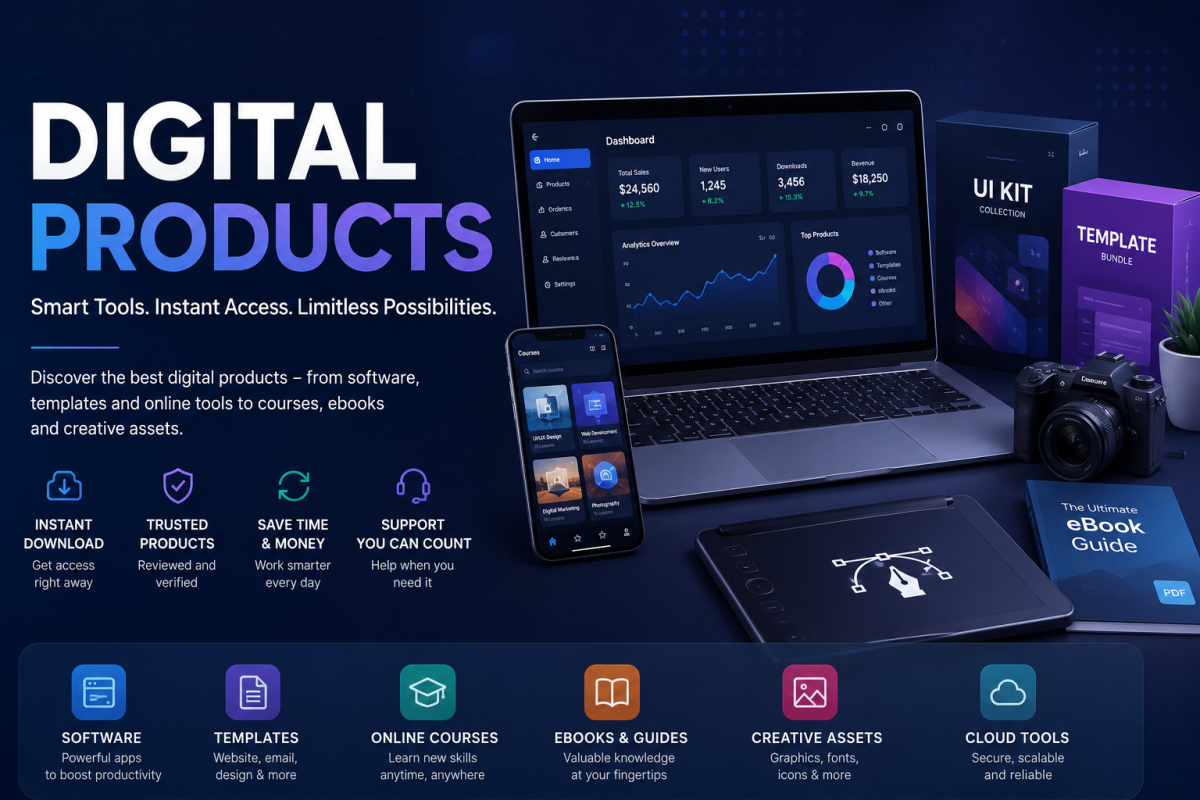
Digital products are now part of everyday life. We use them to work, learn, design, sell, write, communicate, protect data, manage money, build websites, edit photos, run ads, automate tasks and grow online businesses. A digital product can be a downloadable template, a website theme, a mobile app, a software license, an online course, an ebook, a plugin, a design asset, a SaaS tool, an AI writing assistant, cloud storage, cybersecurity software, analytics dashboard, CRM platform, email marketing tool or even a paid membership community. The useful thing about digital products is that they can be delivered instantly and updated over time. The risky thing is that they are often difficult to judge before buying.
This complete digital products guide is written for global readers who want to choose online tools and downloadable products more carefully. It explains what digital products are, how to evaluate quality, how to compare free and paid tools, how to check license terms, how to avoid fake offers, how to pay safely, how to protect accounts, how to manage subscriptions and how to decide whether a product is actually worth the money. The goal is simple: help you buy fewer wrong products and choose tools that solve real problems.

1. What Is a Digital Product?
A digital product is any product that is created, delivered or used mainly through electronic files, software systems or online access. Unlike physical products, you do not always receive a box at your door. You may receive a download link, login account, license key, activation email, cloud dashboard, membership area or app access. This makes digital products convenient, but it also means buyers must understand what exactly they are receiving.
There are two major types of digital products: downloadable products and access-based products. Downloadable products include ebooks, PDFs, spreadsheets, fonts, templates, stock photos, presets, design files, code scripts, WordPress themes, plugins, music files and software installers. Access-based products include SaaS tools, online courses, learning platforms, cloud apps, AI tools, subscription software, membership communities and hosted dashboards. A third category sits between the two: software that you download but still requires online activation, updates or subscription billing.
The most important question is not whether a product is digital or physical. The important question is whether it gives real value. A $9 template may be useful if it saves five hours. A $99 software license may be poor value if it is hard to use, poorly supported or missing the feature you need. A free tool may be excellent for beginners but not strong enough for professional work. A premium tool may be powerful but unnecessary for someone who only needs a simple task once a month.
2. Main Types of Digital Products
Digital products cover many industries. Understanding the main types helps you choose correctly and avoid buying something that looks useful but does not match your real need.
| Digital Product Type | Examples | Best For | What to Check |
|---|---|---|---|
| Software & Apps | Productivity apps, editing software, accounting tools, VPNs, antivirus software | Work, security, business and personal productivity | Compatibility, updates, support, license, renewal cost |
| Website Tools | Themes, plugins, page builders, SEO tools, hosting add-ons | Bloggers, developers, businesses and affiliate sites | Speed, security, updates, documentation, refund policy |
| Creative Assets | Fonts, graphics, mockups, stock photos, icons, video templates | Designers, creators, marketers and social media teams | Commercial license, file formats, quality, usage limits |
| Learning Products | Courses, ebooks, workshops, templates, study materials | Students, professionals and self-learners | Instructor credibility, syllabus, reviews, updates, refund window |
| Business Tools | CRM, email marketing, invoicing, automation, analytics and helpdesk software | Startups, agencies, freelancers and small businesses | Pricing tiers, team access, data export, integrations, privacy |
3. Why Digital Products Are Useful
The biggest advantage of a digital product is leverage. It can help one person do the work of several tools, reduce repetitive tasks, speed up creative work or make professional results easier. A well-made website template can save days of design work. A good password manager can improve security across dozens of accounts. A course can shorten the learning curve. A project-management tool can keep a remote team organized. A stock asset library can help a small business create better visuals without hiring a full design team for every task.
Digital products are also easy to access across countries. Someone in Bangladesh, Canada, Nigeria, India, the United States, the United Kingdom, Australia or the UAE can often buy the same software or online course within minutes. Many products are updated automatically. Many SaaS tools let you start with a free trial. Some products offer student discounts, lifetime deals or low-cost starter plans.
Another benefit is scalability. If you run an online business, digital products can become part of your workflow. You may use hosting, themes, SEO tools, analytics, email software, payment processors, design tools and security plugins together. Individually, each tool looks small. Together, they become the operating system of your business.
4. The Hidden Problems Buyers Often Miss
Digital products are not perfect. The first problem is overpromising. Landing pages often use big claims: “save 10 hours a week,” “rank faster,” “automate everything,” “create professional designs in seconds,” or “grow your business overnight.” Some products are excellent, but marketing language can make average tools look revolutionary. Always separate features from outcomes. A tool may offer automation, but it cannot replace strategy. A template may look premium, but it cannot fix poor content. An SEO tool can show keyword data, but it cannot guarantee ranking.
The second problem is subscription creep. A $7 monthly tool sounds cheap. Ten small subscriptions can become expensive. Many people forget trial dates and keep paying for tools they do not use. Before subscribing, ask yourself whether the product will be used every week, every month or only once. If you only need it for one project, a one-month plan may be better than yearly billing.
The third problem is compatibility. A WordPress plugin may not work with your theme. A design file may require Adobe software you do not own. A course may assume knowledge you do not have. A mobile app may not support your region. A SaaS tool may not integrate with your payment provider. Read requirements before buying.
The fourth problem is data lock-in. Some business tools make it easy to import data but difficult to export it later. Before moving important customer lists, documents, project data or financial information into a platform, check export options. A product is safer when you can download your data in common formats such as CSV, PDF, ZIP, JSON or standard document files.
5. How to Evaluate a Digital Product Before Buying
Good evaluation starts with your own problem. Do not begin by asking, “Is this product popular?” Ask, “What problem am I trying to solve?” Then write the exact result you want. For example: “I need an invoice tool that supports recurring invoices and PDF export.” “I need a WordPress theme that loads fast and works with WooCommerce.” “I need a beginner-friendly course that teaches real project building.” “I need a design asset license that allows commercial client work.”
After defining the problem, compare the product against five areas: features, trust, usability, cost and risk. Features tell you whether the product can do the job. Trust tells you whether the seller is credible. Usability tells you whether you can actually use it. Cost tells you the full price, including renewals. Risk tells you what happens if the product fails, is discontinued or does not meet expectations.
| Evaluation Area | Questions to Ask | Good Sign | Warning Sign |
|---|---|---|---|
| Features | Does it solve my exact problem? | Clear feature list, demo, screenshots, examples | Vague promises without proof |
| Trust | Who created it? Are reviews real? | Transparent company details, support contact, public changelog | No contact page, fake reviews, copied branding |
| Usability | Can I use it easily? | Free trial, documentation, tutorials, clean interface | Confusing onboarding or no instructions |
| Cost | What is the full cost over one year? | Transparent pricing and cancellation terms | Hidden renewal, forced upsells, unclear billing |
| Risk | What happens if it fails? | Refund policy, backups, export options | No refund, no export, no support response |
6. Free vs Paid Digital Products
Free digital products can be very useful. Many open-source tools, free templates, free courses and free SaaS tiers are good enough for beginners. But free products often come with limits. They may include branding, storage limits, export limits, missing support, fewer integrations or lower security controls. Some free tools are supported by advertising. Some collect more user data than expected. Some are free at the start and become expensive when your business depends on them.
Paid products usually offer more features, support, reliability, updates and commercial rights. But paid does not automatically mean better. A low-cost product with clear documentation can outperform an expensive product that is difficult to use. The best buying decision depends on use frequency, business value and risk level. If the tool supports important work, such as payments, customer data, website security or business records, paying for a reputable product may be smarter. If the tool is only for a small personal experiment, a free option may be enough.
A simple rule works well: use free products to learn, test and compare. Pay when the product saves serious time, protects important data, generates income, improves quality or solves a repeated problem.
7. License Terms: The Part Most People Skip
License terms explain what you can and cannot do with a digital product. This is especially important for templates, fonts, graphics, code, music, stock photos, video templates and software. A personal license may allow use in your own project but not client work. A commercial license may allow business use but not resale. An extended license may allow use in an end product sold to customers. Some licenses limit the number of websites, users, downloads, devices or installations.
Before using any digital asset in a business, read the license page. Check whether you can use it for commercial work, client projects, social media ads, printed products, apps, websites or resale products. Also check whether attribution is required. Some free image websites allow broad use, but the license can still restrict misleading, unlawful or trademark-sensitive use. If you are building a serious brand, do not rely on assumptions. Save a copy of the license page or invoice for future proof.
For software, check activation limits. One license may cover one device, one user, one website, one team or unlimited projects. If you manage multiple client sites, a single-site license may not be enough. If you buy a WordPress plugin, check whether updates and support continue after the first year or require renewal.

8. Safety and Security When Buying Digital Products
Digital products often require accounts, payment details, downloads or software installation. That means safety matters. The U.S. Federal Trade Commission advises online shoppers to pay by credit card when possible because credit cards often provide stronger protection if something goes wrong. The FTC also explains that HTTPS means a site is encrypted, but encryption alone does not prove a site is legitimate because scammers can use encrypted sites too. You can read the FTC’s online shopping guidance here: FTC online shopping safety guide.
When downloading software, use the official website or trusted marketplace. Avoid cracked software, unofficial license keys and suspicious “lifetime premium” deals from unknown sellers. These can contain malware, steal data, stop working after updates or violate copyright law. If the original software costs $200 per year and a random website offers it for $5 lifetime, treat it as a major warning sign.
For accounts, enable multi-factor authentication when available. NIST explains that MFA is an important security enhancement because it requires more than just a password to verify identity. This is especially important for tools that store business data, customer lists, payment details, websites or cloud files. You can review NIST’s MFA guidance here: NIST multi-factor authentication guidance.
Also keep software updated. The FTC’s cybersecurity guidance for small businesses notes that software updates can provide critical security fixes and patches for vulnerabilities. This advice applies to individuals too. If you buy a plugin, app or tool and never update it, you may miss important fixes. See FTC business cybersecurity basics here: FTC cybersecurity guidance.
9. How to Spot Fake or Low-Quality Digital Products
Fake or low-quality digital products usually share common signals. The website may have no real company information, no support details, no refund page, copied design, broken English in important pages, unrealistic countdown timers or reviews that all sound the same. The product screenshots may be generic. The seller may avoid showing the dashboard. The price may be unbelievably low compared with the official product. The payment method may be risky, such as crypto-only, gift cards or direct bank transfer to a personal account.
Another warning sign is pressure. Scammers often create urgency: “Only 3 minutes left,” “last chance today,” “secret lifetime deal,” “buy now or lose access forever.” Real limited-time deals exist, but good companies usually provide clear terms and a normal checkout. Do not let a timer make the decision for you.
For online courses, check whether the curriculum is detailed. A vague course that promises “make money online fast” without showing modules, instructor experience or realistic outcomes is risky. For templates, check live previews and file formats. For plugins, check last update date and compatibility. For SaaS tools, check uptime, privacy policy, data export and cancellation process. For AI tools, check usage limits, privacy, output rights and whether the plan includes enough credits for your work.
10. Refunds, Trials and Money-Back Guarantees
A refund policy is part of the product value. Some sellers offer 7-day, 14-day or 30-day refunds. Some digital downloads are non-refundable after download. Some subscription tools allow cancellation but not refund for the current billing period. Some marketplaces have clear buyer protection; others leave disputes between buyer and seller.
Before paying, read the refund page carefully. Look for conditions. Does the refund apply if you simply dislike the product? Does it apply only if the product is broken? Do you need to contact support first? Are setup services, downloadable files, courses or renewal payments excluded? If a seller advertises “money-back guarantee” but hides strict conditions, be careful.
Free trials are useful, but they can become traps if you forget the renewal date. When starting a trial, add a reminder one or two days before billing. Use the trial to test the exact features you need. Do not spend the trial period watching marketing videos. Create a real project, import sample data, test export, contact support if needed and check whether the tool fits your workflow.
11. Digital Products for Website Owners
Website owners are some of the biggest buyers of digital products. A modern website may need a domain, hosting, theme, plugins, analytics, email marketing, SEO tools, security tools, backup tools, image optimization, forms, payment gateways and content tools. Each one affects performance and trust.
When buying a website theme, check speed, mobile responsiveness, browser compatibility, documentation and support. A theme should not only look good in the demo; it should work with your actual content. Many themes look beautiful because the demo has perfect photos and short text. Real websites often have long titles, different image sizes, ads, tables, product cards and plugins. Choose themes that handle real content well.
When buying plugins, avoid installing too many. Every plugin can affect speed, security or compatibility. Choose actively maintained plugins with good reviews and clear documentation. For SEO plugins, understand that the plugin helps structure content; it does not replace keyword research, useful writing or technical SEO. For security plugins, remember that a plugin is only one layer. You still need strong passwords, updates, backups and safe admin practices.
12. Digital Products for Creators and Designers
Creators use digital assets every day: fonts, icons, templates, music, presets, mockups, stock photos, video effects and design systems. These products can save time and improve quality. But creators must be careful with licensing. A free font may be allowed for personal use but not commercial brand work. A stock image may be free but unsuitable for trademark use. A music track may allow YouTube use but require attribution or restrict paid ads.
Quality also matters. A good template should be organized, layered, editable and compatible with the right software version. A poor template may look good in preview but be difficult to customize. Before buying a creative asset, check file formats, included variations, documentation, color customization, font requirements and license. If you work for clients, commercial rights are not optional.
For brand work, avoid using the same overused templates without customization. Digital assets should support your creativity, not replace it. Change colors, spacing, typography, imagery and layout so the final output feels original.
13. Digital Products for Students and Self-Learners
Courses, ebooks and learning platforms can be powerful when chosen correctly. The best learning product has a clear promise, structured curriculum, real examples, updated lessons and realistic expectations. Avoid courses that sell dreams without teaching skills. A good course should show what you will learn, what tools you need, the level required and what project or outcome you can expect.
Before buying a course, check the instructor’s experience. Look for sample lessons if available. Read reviews from people who actually completed the course, not only people excited on day one. Check whether the course is updated because digital industries change quickly. A marketing course from five years ago may still teach useful principles, but platform-specific tactics may be outdated. A coding course may become outdated if framework versions change.
Also consider your learning style. Some people learn better from video. Others prefer text, exercises, community support or project-based lessons. The best course is not the one with the most hours. It is the one you can complete and apply.
14. Digital Products for Small Businesses
Small businesses often need CRM, email marketing, accounting, invoicing, project management, customer support, booking systems, analytics and automation. These tools can make a small team more professional, but they also create dependency. Before choosing a business tool, think about five things: data ownership, team access, integration, security and long-term cost.
Data ownership means you can export customer lists, invoices, tickets or reports if you leave. Team access means you can give each person the correct permission instead of sharing one password. Integration means the tool works with your website, payment system, email platform or calendar. Security means the platform protects accounts and offers features like MFA. Long-term cost means the price remains acceptable as your customer list, team or usage grows.
A cheap starter plan may become expensive after growth. Check pricing tiers before committing. If the tool charges by user, contact, project, storage or usage, estimate your cost after one year. Also check whether support is included or only available on higher plans.

15. How to Compare Digital Products Fairly
Comparisons should not be based only on price. A product that costs less but wastes time may be more expensive in practice. A product that costs more but replaces three separate tools may be cheaper overall. Compare by total value.
Use a simple scoring method. Give each product a score from 1 to 5 for must-have features, ease of use, support, security, integrations, pricing and future growth. Then add notes. The winner is not always the highest total score. Sometimes one missing feature is enough to remove a product from your shortlist. For example, if you need PayPal integration and a tool does not support it, other features may not matter.
Also test support before buying expensive products. Send a polite question and see how quickly and clearly they reply. Good pre-sale support does not guarantee perfect future support, but it shows whether the company is responsive. For mission-critical tools, support quality can matter as much as features.
16. Subscription Management: Stop Paying for Tools You Do Not Use
Many people lose money through forgotten subscriptions. Digital products make it easy to subscribe and forget. To control this, maintain a simple subscription list. Include product name, purpose, monthly or yearly price, renewal date, login email, cancellation link and whether it is still useful. Review the list every month or quarter.
Cancel tools that do not serve a clear purpose. If you are unsure, export your data first, then cancel. Some tools delete data after cancellation. Others keep it for a limited time. Read cancellation terms before ending important services.
For annual plans, compare savings against risk. Annual billing can save money if you are sure you will use the tool for a year. Monthly billing is safer when testing. Lifetime deals can be attractive, but they carry risk because the company must survive and continue development. A lifetime deal is not valuable if the product stops updating after six months.
17. Privacy and Data Protection
Digital products may collect names, emails, payment details, website data, documents, voice, images, customer lists or analytics. Before using a tool for sensitive work, read the privacy policy and data controls. Check whether you can delete your data, export it, control sharing and limit team permissions.
Be extra careful with tools that require access to your email, cloud drive, website admin, ad accounts or payment accounts. Only grant permissions that are necessary. Remove access when you stop using the tool. For browser extensions, install only from trusted marketplaces and check permissions. An extension that can read all websites you visit should be treated as high risk unless you truly trust it.
For businesses, privacy is not only a personal concern. Customers trust you with data. If you put customer information into a weak or unknown platform, your business reputation may be at risk. Choose reputable providers for sensitive data.
18. When a Digital Product Is Worth Buying
A digital product is worth buying when it solves a real problem better than your current method, saves time consistently, improves output quality, reduces risk, helps you earn more, teaches a valuable skill or gives access to resources you would struggle to create yourself. It is not worth buying only because it is discounted, popular or recommended by an influencer.
Ask three final questions before paying. First, will I use this within the next seven days? Second, does it solve a problem I already have? Third, what happens if I do not buy it? If the answer is “nothing important,” you may not need it now. If the answer is “I will continue wasting time every week,” buying may be reasonable.
For business tools, calculate return on investment. If a $30 monthly tool saves five hours and your time is worth more than that, it may be a good purchase. If a $200 plugin improves website speed and conversion, it may pay for itself. But if a tool only feels exciting and has no clear use, wait.
19. Best Practices After Buying
After buying a digital product, organize everything immediately. Save the invoice, license key, download link, login email, support URL and renewal date. If the product includes files, back them up safely. If it is a SaaS tool, set up MFA, add recovery options and configure privacy settings. If it is a website tool, test it on a staging site before using it on a live website when possible.
Read the documentation before judging the product. Many tools fail because users skip setup steps. Watch official tutorials, import sample data, test key features and contact support early if something does not work. If the product has a refund window, test it during that window. Do not wait until the refund period ends.
For downloadable products, scan files with security software when appropriate. Keep original ZIP files and licenses. For templates and design assets, create a project folder with all required fonts, images and instructions. For courses, create a learning schedule. A course you never open has no value, even if the content is excellent.
20. Practical Digital Product Buying Checklist
| Before Buying | Why It Matters | Action |
|---|---|---|
| Define your problem | Prevents impulse buying | Write one sentence: “I need this to…” |
| Check features | Confirms the product can do the job | Compare must-have features only |
| Read license terms | Avoids commercial use problems | Save license and invoice |
| Review seller trust | Reduces scam risk | Check contact page, reviews, update history |
| Check pricing and renewal | Avoids surprise bills | Add renewal reminder |
| Test quickly after purchase | Uses refund window properly | Create a real test project |
21. Final Advice: Buy Tools, Not Hype
The digital product market is full of opportunity, but it is also full of noise. New tools launch every day. Some are genuinely useful. Some are copies of existing tools. Some are built well but not right for your situation. Some are promoted heavily because affiliates earn commissions. This does not mean affiliate recommendations are bad, but it means buyers should think independently.
The smartest buyers focus on workflow, not hype. They ask what problem the product solves, how often they will use it, whether it is secure, whether it has support, whether the license fits their use and whether the total cost makes sense. They test before committing. They cancel unused tools. They protect their accounts. They keep proof of purchase. They choose products that support real goals.
Digital products can help you build a website, run a business, learn new skills, create better content, manage money, improve security and save time. But the best results come when you choose carefully. Use this guide as a practical checklist before buying your next software, template, course, plugin, app or online tool. A good digital product should make your work easier, your decisions clearer and your results better. If it only creates more confusion, more subscriptions and more unused accounts, it is not the right product for you.