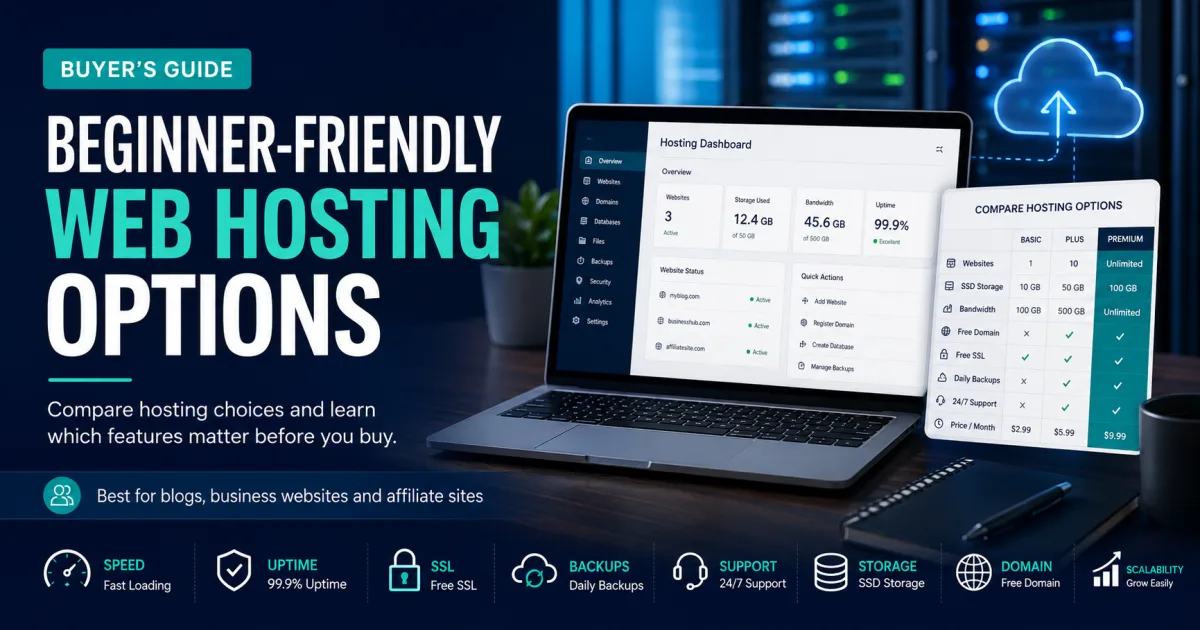

Choosing a domain and hosting provider looks simple from the outside. You search a domain, see a discounted hosting price, click a bright button, and think the hard part is over. Then the second-year renewal arrives. Or the website becomes slow. Or the free SSL is not what you expected. Or support tells you that backups, email, malware cleanup, staging, migration, domain privacy and CDN are separate products. That is when many new website owners realize that hosting is not just a monthly price; it is the foundation of the whole online project.
This guide compares ten well-known global providers that people often consider when buying domains and website hosting: Hostinger, Bluehost, SiteGround, Namecheap, GoDaddy, DreamHost, IONOS, InMotion Hosting, GreenGeeks and Cloudflare. They are not identical services. Some are better for beginners, some for WordPress, some for budget domains, some for business email, some for VPS growth, and one of them—Cloudflare—is best understood as a domain, DNS, CDN and static-site infrastructure provider rather than a normal shared host. That difference matters.
The goal here is not to crown one company as perfect for everyone. No provider is perfect for every website. A student portfolio, a Laravel news portal, a WooCommerce store, a travel blog, a SaaS landing page and an agency managing thirty client websites do not have the same requirements. A good buyer asks a better question: which provider is best for my project, my budget, my technical skill and my growth plan?

Quick Comparison: Top 10 Domain and Hosting Providers
The table below gives a practical overview before we go provider by provider. Pricing changes often, especially with promotional hosting offers, so treat the numbers as a research snapshot and verify the latest checkout price from each official website before buying.
| Provider | Best For | Pricing Style | Main Strength | Watch Before Buying |
|---|---|---|---|---|
| Hostinger | Budget-friendly all-round hosting for beginners, bloggers, small businesses and growing websites | Web hosting starts from about $2.99/month on Hostinger’s pricing page, with shared, cloud, VPS and website builder options. | Strong value, beginner-friendly hPanel, AI tools, WordPress options, VPS upgrades, free SSL and domain offers on selected terms. | Promotional prices can be much lower than renewals, and VPS needs more technical skill than shared hosting. |
| Bluehost | WordPress beginners who want a guided setup and a mainstream hosting brand | Bluehost lists a wide range of shared, WordPress, ecommerce and managed plans, with some managed plans from around $14.99/month. | WordPress-friendly onboarding, free domain policy on eligible terms, AI/site tools, support ecosystem and simple account management. | Renewal pricing and add-ons should be reviewed carefully, especially if you start with a discount. |
| SiteGround | Users who prioritize WordPress performance, daily backups and polished managed tools | SiteGround markets premium web hosting, WordPress hosting and domain services, with domains shown from $17.99/year on its public page. | Strong WordPress reputation, security tools, daily backup culture, expert support and performance-focused environment. | It is usually more expensive than budget hosts, and renewal prices should be checked before purchase. |
| Namecheap | Budget domain registration plus low-cost hosting, email and simple site projects | Namecheap’s shared hosting page lists shared hosting from about $1.98/month and domain-hosting bundles with first-year domain discounts. | Very strong domain registrar reputation, low-cost hosting, cPanel, Softaculous, SSL/email options and affordable domain management. | Hosting performance and support depth may not match premium managed providers for large or mission-critical sites. |
| GoDaddy | All-in-one domain, hosting, email and business tools for non-technical users | GoDaddy’s web hosting page lists plans as low as about $5.99/month and includes free SSL on hosting plans with support and cPanel-style features. | Massive domain ecosystem, simple purchase flow, phone/chat support, business tools, email/SSL/domain bundling and brand familiarity. | Add-ons can raise cost, and some users may find better hosting value elsewhere if they do not need the GoDaddy ecosystem. |
| DreamHost | Beginner-friendly WordPress hosting with transparent products and a generous refund culture | DreamHost’s pricing page covers web hosting, professional email and domain registration, and annual web hosting plans can include a free domain for one year. | WordPress-friendly, free domain on eligible annual plans, free SSL, clear hosting categories and beginner-oriented setup. | Some users may prefer cPanel-based hosts; DreamHost uses its own panel, so the workflow feels different. |
| IONOS | Low-entry-cost hosting, domains, email and business infrastructure in one provider | IONOS lists web hosting from promotional low prices and says plans include a domain for the first year, Wildcard SSL, email and 30-day money-back guarantee. | Very low entry offers, strong business product range, free SSL/domain/email on many plans, 99.99% uptime messaging and phone support availability. | Introductory pricing can jump later; read the renewal price and product term before checkout. |
| InMotion Hosting | Small businesses and agencies that want cPanel, migrations, support and scalable hosting options | InMotion’s shared hosting page lists promotional shared hosting from around $4.79–$4.99/month, with renewals shown higher depending on the term. | Free migration for cPanel sites, free domain/SSL/email on selected plans, WordPress installer, human support and scalable VPS/dedicated options. | Entry prices vary by term, and it may cost more than budget-only hosts after renewal. |
| GreenGeeks | Eco-conscious hosting buyers who still want mainstream WordPress and small business features | GreenGeeks lists WordPress and WooCommerce hosting from about $2.95/month and promotes green hosting across product lines. | Eco-friendly positioning, WordPress/WooCommerce hosting, free SSL/domain/email features on many plans, support and small-business-friendly setup. | Choose it for the overall package, not only the green claim; compare performance, renewal and resource limits like any host. |
| Cloudflare | Domain security, DNS, CDN and static/serverless projects rather than classic cPanel hosting | Cloudflare Registrar uses at-cost domain registration and renewal with no markup, while Cloudflare Pages has a free tier and paid plans for larger projects. | At-cost domains, DNSSEC, domain lock/security, world-class DNS/CDN, free SSL/CDN options and strong static site deployment through Pages. | Not a normal shared hosting provider for PHP/MySQL websites; dynamic WordPress or Laravel sites still need a separate origin server. |
How to Choose the Right Domain and Hosting Provider
Before looking at the individual providers, it helps to understand what you are actually buying. A domain name is the address people type, such as example.com. Hosting is where the website files, databases, emails and applications live. DNS is the system that tells browsers where to find the server. SSL protects the connection with HTTPS. Backups let you recover from mistakes. Support helps when something breaks. These parts work together, but they do not always need to come from the same company.
For a beginner, buying domain and hosting together may be easier. There are fewer dashboards, fewer nameserver changes and less technical friction. For a more advanced user, separating the domain registrar from hosting can be safer. You might keep domains at Cloudflare or Namecheap, host the site at Hostinger or SiteGround, use email from Google Workspace or Zoho, and run CDN through Cloudflare. That setup requires more understanding, but it also gives more control.
| Buying Factor | What to Check | Why It Matters |
|---|---|---|
| Renewal price | Look beyond the first discount. Check the renewal for hosting, domain, SSL, privacy and email. | A cheap first year can become expensive in year two or three. |
| SSL | See whether free SSL is included for one site, all sites or only for a term. | HTTPS is expected by users and browsers, and it helps trust. |
| Backups | Check daily vs weekly backups, restore cost and how many copies are stored. | A backup can save your site after plugin failure, hacking or accidental deletion. |
| Support | Compare chat, ticket, phone, response time, migration help and scope of support. | Fast support matters most when your site is offline. |
| Performance | Look at storage type, caching, data center options, CDN and resource limits. | Speed affects user experience, conversion and SEO signals indirectly. |
| Scalability | Check whether you can move from shared to cloud, VPS or managed plans. | A growing website should not require a painful provider change too early. |

1. Hostinger: Best For Budget-friendly all-round hosting
Official website: Hostinger official plans and details
Hostinger is often the easiest first recommendation when someone wants affordable hosting without feeling trapped in an outdated control panel. Its main strength is not one single feature; it is the balance. The dashboard is clean, the plans are priced aggressively, and beginners can usually understand the flow from domain purchase to website launch without reading a server manual. Hostinger’s official pricing page shows multiple product lines, including web hosting, cloud hosting, VPS and website builder plans, which means a small site can start cheaply and later move into a more powerful environment without leaving the same ecosystem.
For a new blog, portfolio, affiliate site or small business website, Hostinger makes sense because the setup path is short. You can register or connect a domain, activate SSL, install WordPress, use email features depending on the plan, and manage files from hPanel. Developers may like that Hostinger also has VPS plans, so a Laravel or Node.js project is not impossible. Still, the cheaper shared plans are not a magic solution for heavy traffic or complex background tasks. If your project includes queues, custom daemons, Docker, high database usage or multiple client sites, compare Hostinger’s cloud and VPS options instead of buying only the lowest shared plan.
The most practical buying tip is to check renewal pricing before checkout. Hostinger’s first-term offers can be attractive, but the real cost of ownership is the renewal cycle plus add-ons you may need. If you know the project will stay online for years, calculate the two-year or three-year cost, not only the first month. Hostinger is a strong choice for people who want value, but the smartest users still compare resources, backup rules, domain renewal prices and support expectations before paying.
| Best fit | Budget-friendly all-round hosting for beginners, bloggers, small businesses and growing websites |
| Pricing note | Web hosting starts from about $2.99/month on Hostinger’s pricing page, with shared, cloud, VPS and website builder options. |
| Main advantages | Strong value, beginner-friendly hPanel, AI tools, WordPress options, VPS upgrades, free SSL and domain offers on selected terms. |
| Before paying | Promotional prices can be much lower than renewals, and VPS needs more technical skill than shared hosting. |
2. Bluehost: Best For WordPress beginners who want a guided setup and a mainstream hosting brand
Official website: Bluehost official plans and details
Bluehost is one of the most familiar names in beginner WordPress hosting. That reputation matters because many new website owners are not searching for a server; they are searching for a safe path from idea to published website. Bluehost’s pricing and product pages show a broad hosting ecosystem, including web hosting, WordPress hosting, ecommerce plans and managed options. For someone who wants to create a WordPress site quickly, this can feel more comfortable than buying a bare VPS or piecing together DNS, SSL and hosting from different companies.
The best Bluehost use case is a first WordPress site, a small business website, a personal brand, or a local service site where simplicity matters more than advanced server control. Bluehost usually packages common beginner needs: domain connection, SSL, WordPress installation, dashboard tools and support. That can save time for people who do not want to learn cPanel deeply on day one. It is also useful for clients who need a mainstream provider that freelancers and agencies already understand.
The caution is the same one that applies to most large hosting brands: check the cart carefully. Introductory discounts, renewal prices, domain renewal, backups, privacy, security tools and email add-ons can change the real cost. Bluehost can be a good fit, but it is not automatically the cheapest long-term option. Buy it when the guided WordPress experience is valuable to you, not just because the first-year price looks friendly.
| Best fit | WordPress beginners who want a guided setup and a mainstream hosting brand |
| Pricing note | Bluehost lists a wide range of shared, WordPress, ecommerce and managed plans, with some managed plans from around $14.99/month. |
| Main advantages | WordPress-friendly onboarding, free domain policy on eligible terms, AI/site tools, support ecosystem and simple account management. |
| Before paying | Renewal pricing and add-ons should be reviewed carefully, especially if you start with a discount. |
3. SiteGround: Best For Users who prioritize WordPress performance, daily backups and polished managed tools
Official website: SiteGround official plans and details
SiteGround feels less like a bargain bin host and more like a polished managed hosting environment for people who care about stability. Its public website emphasizes speed, security and expert support, and it says it helps more than three million domains. That scale gives it credibility, but the real reason people choose SiteGround is often the day-to-day hosting experience: WordPress tools, caching features, backups, staging-style workflows on higher plans, and support that many users perceive as more technical than basic budget chat support.
This makes SiteGround a sensible choice for small businesses, serious bloggers, service websites, and WordPress users who want fewer surprises. If a website earns money, collects leads, or supports a brand, the cheapest hosting plan is not always the best decision. A provider with strong backups, security handling and practical support can be worth paying more for. SiteGround is especially attractive when a user wants managed WordPress convenience without going all the way to expensive enterprise WordPress hosting.
The drawback is cost. SiteGround’s first-term prices may be easier to accept than renewal prices, and some domain prices can be higher than budget registrars. A smart buyer should compare the first invoice, the renewal invoice and the exact backup and staging features included in the selected tier. SiteGround is not the best pick for users who only want the lowest possible cost. It is better for users who want a safer, more refined WordPress hosting experience and are willing to pay for it.
| Best fit | Users who prioritize WordPress performance, daily backups and polished managed tools |
| Pricing note | SiteGround markets premium web hosting, WordPress hosting and domain services, with domains shown from $17.99/year on its public page. |
| Main advantages | Strong WordPress reputation, security tools, daily backup culture, expert support and performance-focused environment. |
| Before paying | It is usually more expensive than budget hosts, and renewal prices should be checked before purchase. |
4. Namecheap: Best For Budget domain registration plus low-cost hosting, email and simple site projects
Official website: Namecheap official plans and details
Namecheap started in many people’s minds as a domain registrar first, and that still shapes its value. If your main concern is buying domains, keeping renewals understandable, adding privacy, and using simple hosting without spending much, Namecheap deserves a close look. Its official shared hosting page currently lists very low starting prices, and its hosting pages highlight cPanel, WordPress installation through Softaculous, 24/7 live chat, domain-hosting deals and SSL-related benefits depending on the product.
For domain investors, affiliate marketers, small bloggers, students and early-stage businesses, Namecheap can be practical because the domain and hosting workflow is straightforward. You can buy a domain, point DNS, set up hosting, create email, install WordPress and keep everything under one account. That convenience is underrated. Many beginners waste days trying to understand nameservers, registrar dashboards and hosting dashboards. Namecheap reduces some of that confusion by putting the most common pieces together.
The tradeoff is that the cheapest option is not always the best production environment. If you expect heavy traffic, international ecommerce, complex WordPress plugins or strong performance requirements, compare Namecheap against Hostinger cloud, SiteGround, InMotion, Scala-style cloud VPS or managed WordPress hosts. Namecheap is excellent for cost-conscious domain and starter hosting decisions, but serious business sites should still test speed, backup rules and support response before relying on the lowest tier.
| Best fit | Budget domain registration plus low-cost hosting, email and simple site projects |
| Pricing note | Namecheap’s shared hosting page lists shared hosting from about $1.98/month and domain-hosting bundles with first-year domain discounts. |
| Main advantages | Very strong domain registrar reputation, low-cost hosting, cPanel, Softaculous, SSL/email options and affordable domain management. |
| Before paying | Hosting performance and support depth may not match premium managed providers for large or mission-critical sites. |
5. GoDaddy: Best For All-in-one domain, hosting, email and business tools
Official website: GoDaddy official plans and details
GoDaddy is one of the biggest names in domains, and for many non-technical users it is the first company they hear about when buying a domain. That visibility has a real advantage. A small business owner can search a domain, buy hosting, add email, purchase SSL or security services, and contact support through a familiar brand. GoDaddy’s web hosting page lists hosting with free SSL and 24/7 support, and its product catalog covers much more than basic shared hosting.
The best GoDaddy user is someone who wants everything in one place and values support accessibility. A local shop, service business, restaurant, consultant or beginner website owner may prefer a provider that offers domains, hosting, email, website builder tools and marketing products under one roof. GoDaddy can also be useful when a client already owns domains there and wants a simple hosting upgrade without moving accounts.
The weakness is that convenience can become expensive if you add too many extras. Domain privacy, SSL options, security products, email services and renewal rates should all be checked carefully. GoDaddy is not always the most cost-efficient hosting choice for developers or advanced WordPress users. It is strongest when the buyer wants an easy commercial ecosystem and is willing to manage the total cost deliberately.
| Best fit | All-in-one domain, hosting, email and business tools for non-technical users |
| Pricing note | GoDaddy’s web hosting page lists plans as low as about $5.99/month and includes free SSL on hosting plans with support and cPanel-style features. |
| Main advantages | Massive domain ecosystem, simple purchase flow, phone/chat support, business tools, email/SSL/domain bundling and brand familiarity. |
| Before paying | Add-ons can raise cost, and some users may find better hosting value elsewhere if they do not need the GoDaddy ecosystem. |

6. DreamHost: Best For Beginner-friendly WordPress hosting with transparent products and a generous refund culture
Official website: DreamHost official plans and details
DreamHost has a quieter style than some hosting brands, but it remains a respected option for WordPress and general hosting. Its pricing page covers hosting, email and domains, and its public pages highlight a free domain for one year on eligible annual web hosting plans. DreamHost is a strong candidate for users who want a dependable provider without feeling pushed into a crowded marketplace of add-ons.
DreamHost makes sense for bloggers, small businesses, creators, and WordPress users who want a simple hosting path and do not mind using a custom control panel instead of cPanel. That panel difference matters. Some users love it because it feels cleaner. Others prefer cPanel because many tutorials use it. Before buying, check whether your future workflow depends on cPanel tools, especially if you plan to follow generic YouTube hosting tutorials.
The practical advantage of DreamHost is that it often feels straightforward: hosting, domain, SSL, WordPress and email options are presented in a way a beginner can understand. The practical caution is that no host should be purchased only by reputation. Compare storage, backup policy, support hours, renewal pricing and migration needs. DreamHost is a good option when you want a WordPress-friendly host with a less aggressive feel than some mainstream competitors.
| Best fit | Beginner-friendly WordPress hosting with transparent products and a generous refund culture |
| Pricing note | DreamHost’s pricing page covers web hosting, professional email and domain registration, and annual web hosting plans can include a free domain for one year. |
| Main advantages | WordPress-friendly, free domain on eligible annual plans, free SSL, clear hosting categories and beginner-oriented setup. |
| Before paying | Some users may prefer cPanel-based hosts; DreamHost uses its own panel, so the workflow feels different. |
7. IONOS: Best For Low-entry-cost hosting, domains, email and business infrastructure in one provider
Official website: IONOS official plans and details
IONOS is attractive because it often leads with very low entry pricing and a broad business product stack. Its web hosting page highlights 99.99% uptime messaging, a first-year domain, Wildcard SSL, professional email and a 30-day money-back guarantee. For a small business owner who wants hosting, domain, email and possibly servers later, IONOS can look like a serious one-stop shop.
The best IONOS use case is a budget-conscious business website, a simple WordPress project, or a user who wants domain and hosting with email included from the beginning. IONOS also has VPS, cloud and server products, so a project can grow into more advanced hosting if needed. That matters when you plan long-term infrastructure rather than just a small temporary website.
The main warning is renewal math. Low entry offers are useful, but they are not the full story. Check what the plan costs after the first month or first year, what happens to the domain, how many email boxes are included, and whether backups or security tools cost extra. IONOS can be a smart buy when you need business features at a low starting cost, but the final decision should be based on the second-year bill, not only the first checkout page.
| Best fit | Low-entry-cost hosting, domains, email and business infrastructure in one provider |
| Pricing note | IONOS lists web hosting from promotional low prices and says plans include a domain for the first year, Wildcard SSL, email and 30-day money-back guarantee. |
| Main advantages | Very low entry offers, strong business product range, free SSL/domain/email on many plans, 99.99% uptime messaging and phone support availability. |
| Before paying | Introductory pricing can jump later; read the renewal price and product term before checkout. |
8. InMotion Hosting: Best For Small businesses and agencies that want cPanel, migrations, support and scalable hosting options
Official website: InMotion Hosting official plans and details
InMotion Hosting feels built for people who want a more traditional but business-minded hosting setup. Its shared hosting page highlights free cPanel migration, free domain, SSL and email, one-click WordPress installation, a user-friendly dashboard and real human support. That combination is useful for small businesses, freelancers and agencies who already know cPanel or need to move existing sites with less friction.
The strongest InMotion use case is not the cheapest personal blog; it is the website owner who values migration help, business support and room to scale. If you manage client sites, run a small business website, or expect to upgrade into VPS or dedicated hosting later, InMotion’s broader product line can make sense. It also appeals to users who prefer a more conventional hosting environment rather than a very simplified website builder flow.
The smart buying question is whether you need the support and migration value enough to pay the renewal cost. For users who already have a cPanel site and want help moving it, InMotion can save time. For a student launching a simple one-page site, cheaper hosts may be enough. The right decision depends on whether your project values service, migration and scalability more than the lowest possible entry price.
| Best fit | Small businesses and agencies that want cPanel, migrations, support and scalable hosting options |
| Pricing note | InMotion’s shared hosting page lists promotional shared hosting from around $4.79–$4.99/month, with renewals shown higher depending on the term. |
| Main advantages | Free migration for cPanel sites, free domain/SSL/email on selected plans, WordPress installer, human support and scalable VPS/dedicated options. |
| Before paying | Entry prices vary by term, and it may cost more than budget-only hosts after renewal. |
9. GreenGeeks: Best For Eco-conscious hosting buyers who still want mainstream WordPress and small business features
Official website: GreenGeeks official plans and details
GreenGeeks stands out because hosting usually feels invisible until you consider energy use. Data centers consume power, and GreenGeeks has built its brand around greener hosting. Its public site lists WordPress and WooCommerce hosting starting around $2.95/month and promotes a hosting platform for different needs. For environmentally aware website owners, that positioning is meaningful. It gives a small business or creator a way to align hosting with brand values without leaving mainstream WordPress hosting features behind.
The best GreenGeeks users are bloggers, small businesses, WooCommerce starters, and organizations that want to mention sustainability in their own operations. A yoga studio, nonprofit, eco store, local brand or conscious creator may find the story useful. But beyond the green angle, users should still evaluate ordinary hosting factors: SSL, domain inclusion, backups, storage, support, malware tools, email and renewal price. Good intentions do not replace good infrastructure.
GreenGeeks can be a strong choice when you want a balanced hosting provider with an eco-conscious narrative. It may not be the obvious pick for high-end enterprise apps or developers who need custom server architecture. But for WordPress and small business hosting, it deserves a place on the shortlist, especially when brand values matter to the site owner.
| Best fit | Eco-conscious hosting buyers who still want mainstream WordPress and small business features |
| Pricing note | GreenGeeks lists WordPress and WooCommerce hosting from about $2.95/month and promotes green hosting across product lines. |
| Main advantages | Eco-friendly positioning, WordPress/WooCommerce hosting, free SSL/domain/email features on many plans, support and small-business-friendly setup. |
| Before paying | Choose it for the overall package, not only the green claim; compare performance, renewal and resource limits like any host. |
10. Cloudflare: Best For Domain security, DNS, CDN and static/serverless projects rather than classic cPanel hosting
Official website: Cloudflare official plans and details
Cloudflare is different from the other names in this list. It is not a classic shared host where you upload PHP files into cPanel and create a MySQL database. It is a domain registrar, DNS provider, CDN, security platform and developer platform. Cloudflare Registrar’s official page says it offers at-cost domain registration and renewals with no markup, and it includes security benefits such as DNSSEC integration and domain protection. For domain management and DNS, that is extremely compelling.
Cloudflare is best for users who care about domain security, fast DNS, CDN, SSL, DDoS protection and static site deployment. A developer can host static sites on Cloudflare Pages, use Workers for serverless functions, and connect domains with excellent DNS. A business can keep domains at Cloudflare and point them to Hostinger, SiteGround, VPS hosting or any other origin. This separation is often smart: buy domains and manage DNS at Cloudflare, then choose hosting based on the application itself.
The limitation is obvious but important: Cloudflare Registrar plus Pages is not the same as full traditional hosting for every website. If you run WordPress, Laravel, WooCommerce or a database-heavy app, you still need a hosting server somewhere unless you redesign the stack around static/serverless services. Cloudflare belongs in a top domain-hosting discussion because domains and DNS are central to website ownership. It is the best choice for security-conscious domain management, but not the easiest one-click WordPress host for beginners.
| Best fit | Domain security, DNS, CDN and static/serverless projects rather than classic cPanel hosting |
| Pricing note | Cloudflare Registrar uses at-cost domain registration and renewal with no markup, while Cloudflare Pages has a free tier and paid plans for larger projects. |
| Main advantages | At-cost domains, DNSSEC, domain lock/security, world-class DNS/CDN, free SSL/CDN options and strong static site deployment through Pages. |
| Before paying | Not a normal shared hosting provider for PHP/MySQL websites; dynamic WordPress or Laravel sites still need a separate origin server. |
Which Provider Should You Choose? Real-World Recommendations
If you are building your first blog or affiliate website and want good value, Hostinger is likely the most balanced starting point. It gives beginners an easier dashboard and offers upgrade paths into cloud and VPS. If you are building a WordPress site and want a very guided path, Bluehost is still a comfortable mainstream choice. If support quality, WordPress tools and backup culture matter more than the lowest price, SiteGround becomes more attractive.
If domains are your main concern, Namecheap and Cloudflare deserve special attention. Namecheap is practical for domains plus low-cost hosting. Cloudflare is excellent for at-cost domains, DNS security, CDN and static site infrastructure. It is not a normal PHP hosting replacement, but it may be the smartest place to manage serious domains. If you want a familiar all-in-one business ecosystem with phone and chat support, GoDaddy is convenient, though you must watch add-ons.
For a quieter WordPress-friendly experience, DreamHost can be a good fit. For low entry pricing with business features, IONOS is worth comparing. If you already have cPanel websites and need migration support, InMotion Hosting is practical. If sustainability matters to your brand, GreenGeeks gives you a mainstream hosting option with an eco-focused identity.
| Your Situation | Best Shortlist | Why |
|---|---|---|
| First blog or small affiliate site | Hostinger, Bluehost, DreamHost | Beginner-friendly setup, reasonable entry cost and WordPress support. |
| Premium WordPress or business site | SiteGround, InMotion, WP-style managed alternatives | Better support, backups, caching and reliability expectations. |
| Cheap domains and simple hosting | Namecheap, IONOS, Hostinger | Good entry pricing and domain-hosting bundle options. |
| Domain security and DNS control | Cloudflare, Namecheap | Strong registrar/DNS workflows and security-focused domain management. |
| Eco-conscious brand | GreenGeeks | Hosting package with green positioning and WordPress/WooCommerce options. |
| Existing cPanel site migration | InMotion, Namecheap, Hostinger | cPanel or migration-friendly environments can reduce moving pain. |
Domain Buying Tips That Save Money Later
Many people treat a domain like a small one-time purchase. It is not. A domain is a recurring asset. If your brand grows, that domain may become one of your most valuable digital properties. Before buying, check the first-year price, renewal price, transfer price, privacy protection, DNSSEC, lock features and restoration fee. Some registrars sell a domain cheaply in year one and renew it at a much higher price. That is not always wrong, but you should know it before building a brand on that name.
Use a domain that is easy to spell, easy to pronounce and difficult to confuse. Avoid unnecessary hyphens, strange numbers and brand names that can create trademark problems. If you are targeting a global audience, a .com is still the safest default when available. For local businesses, a country extension can make sense. If you buy multiple variations, do it for protection, not because you think owning twenty domains will automatically bring traffic.
Turn on two-factor authentication for your registrar account. Lock the domain. Keep your recovery email secure. If your domain account is hacked, your website, email and brand can disappear quickly. A cheap hosting mistake is annoying. A stolen domain can be devastating.

Hosting Setup Checklist After Purchase
After buying hosting, do not immediately install random plugins and start publishing. First, complete the foundation. Connect the domain correctly. Activate SSL and confirm that the site loads with HTTPS. Set the preferred www or non-www version. Create professional email if needed. Enable backups. Install only trusted themes and plugins. Delete demo content. Set strong passwords. Add two-factor authentication where possible. Connect analytics and Search Console. Test the contact form. Check the site from mobile data, not only Wi-Fi.
If you are using WordPress, install a caching solution only after the site is stable. Too many beginners install five speed plugins and then wonder why layouts break. Use one caching approach, compress images, choose a lightweight theme, and avoid unnecessary page-builder bloat. If you are using Laravel or another framework, make sure environment variables, queues, cron jobs, storage permissions and deployment steps are correct. Hosting is not finished when the homepage opens; it is finished when the site can survive real visitors and normal maintenance.
Common Hosting Mistakes to Avoid
The first mistake is buying only because of the lowest price. Cheap hosting is fine for the right project, but not if it lacks backups, support or resources you actually need. The second mistake is ignoring renewal cost. The third is mixing domain, hosting, email and DNS without documenting where each part lives. Months later, when something breaks, nobody remembers which company controls what.
Another mistake is keeping all access under one weak password. Use a password manager. Turn on two-factor authentication. Do not share the main account login with every developer. Create separate users when possible. Keep billing email secure. Save invoices and renewal dates. If your website earns money, treat hosting like business infrastructure, not a random online subscription.
Final Verdict
The best domain and hosting provider depends on your project. Hostinger is the best all-round value for many beginners and growing websites. Bluehost is comfortable for guided WordPress starts. SiteGround is better when support, backups and WordPress performance matter more than budget. Namecheap is excellent for domains and affordable starter hosting. GoDaddy works for users who want a familiar all-in-one business provider. DreamHost is a solid WordPress-friendly alternative. IONOS is attractive for low-cost business bundles. InMotion is practical for cPanel migration and small business support. GreenGeeks is worth choosing when eco-conscious hosting fits your brand. Cloudflare is one of the smartest choices for domain security, DNS and static/serverless workflows, though it is not a classic all-purpose shared host.
Do not chase the provider with the loudest discount. Choose the provider that matches your website type, your technical skill, your support needs, your renewal budget and your growth plan. A good hosting decision should feel boring after purchase. The website loads, backups run, the domain stays safe, support is available, and you can focus on content, customers or development instead of constantly fighting the server.