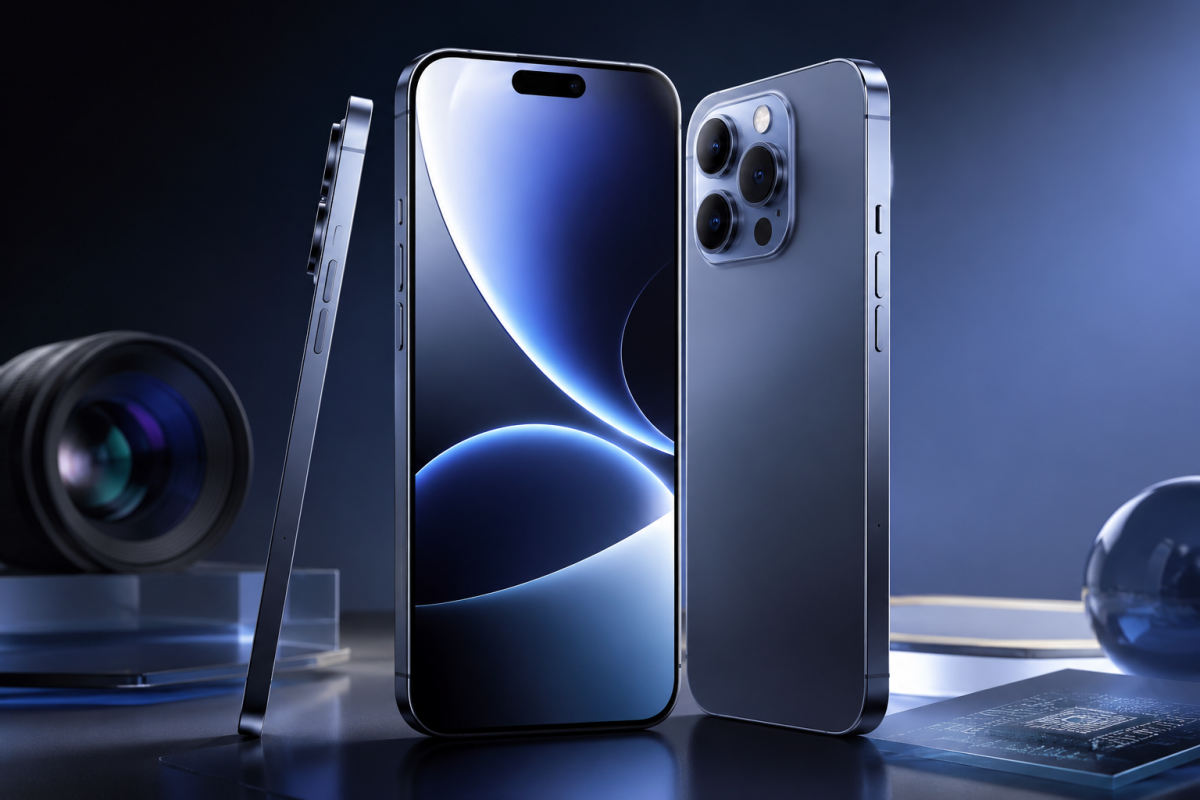
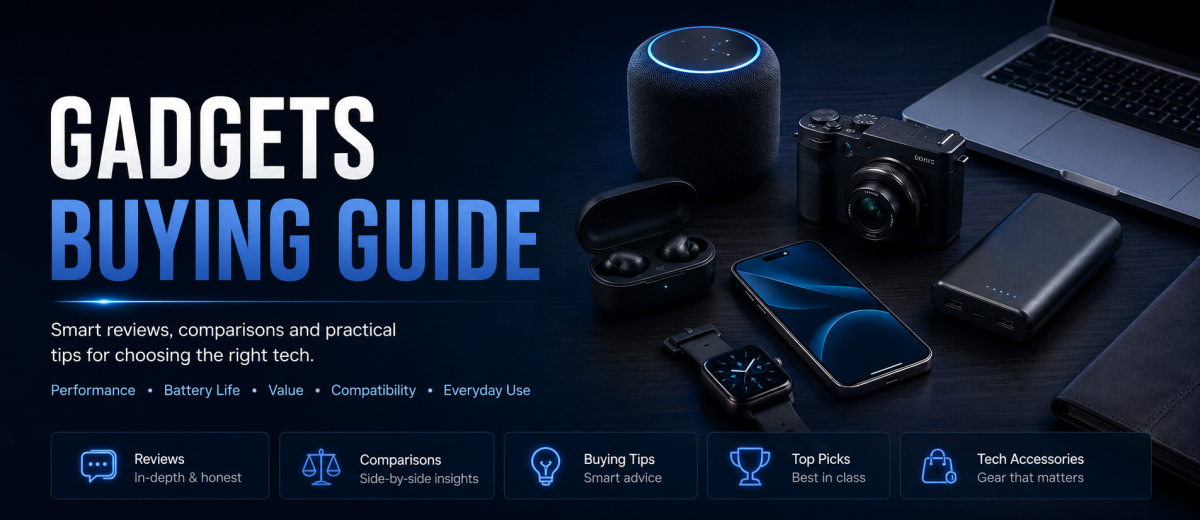
Gadgets are no longer just fun extras. They are part of how people work, study, travel, communicate, stay healthy, protect homes, create content, manage time and enjoy entertainment. A smartphone accessory can make daily work easier. A pair of wireless earbuds can improve calls and focus. A smartwatch can help track routines. A power bank can save a trip day. A smart plug can reduce wasted energy. A compact camera, microphone, keyboard, monitor light or portable SSD can upgrade a creator’s workflow without buying a full new computer.
But the gadget market is also confusing. Every week, a new device claims to be smarter, faster, smaller, more powerful or more premium. Social media videos make products look perfect in fifteen seconds. Online stores show polished photos, large discounts and short reviews. A gadget may look useful, but it can become a waste of money if the battery is weak, the build quality is poor, the app stops getting updates, the warranty is unclear, the seller is unreliable, the device is not compatible with your phone or laptop, or the product collects more data than you expected.
This complete gadgets buying guide is written for global readers who want to buy tech products more carefully. It covers how to choose original gadgets, compare features, understand specs, check compatibility, avoid fake products, protect privacy, evaluate smart home devices, buy travel gadgets, inspect delivered items, handle returns, and decide what is truly worth buying. The goal is simple: help you choose useful gadgets instead of collecting expensive clutter.

1. What Counts as a Gadget?
A gadget is a small or specialized electronic product designed to make a task easier, faster, more convenient, more secure or more enjoyable. The word can include many things: wireless earbuds, smartwatches, phone accessories, power banks, chargers, smart speakers, portable projectors, security cameras, keyboards, mice, USB hubs, tablets, cameras, microphones, lighting kits, Bluetooth trackers, e-readers, gaming accessories, smart home sensors, electric travel accessories and portable storage devices.
Some gadgets are standalone devices. A smartwatch, action camera or e-reader can work as a main product. Other gadgets are accessories that improve another device. A fast charger, laptop stand, docking station, keyboard or stylus depends on a phone, tablet or computer. Some gadgets are connected devices that require apps, accounts and Wi-Fi. Smart bulbs, smart locks, robot vacuums, fitness trackers and security cameras usually fall into this group. Understanding which type you are buying matters because each type has different risks.
Standalone gadgets should be judged by core performance: battery life, display quality, processing power, durability, storage, warranty, repair options and ease of use. Accessories should be judged by compatibility, build quality and whether they actually improve your workflow. Connected gadgets should be judged not only by features but also by privacy, security updates, app quality, cloud dependency and account control. A cheap smart camera is not a good deal if the app is unreliable or the manufacturer stops supporting it after a short time.
2. Start With the Job, Not the Gadget
The most common mistake in gadget shopping is starting with the product instead of the problem. A person sees a desk setup video, smartwatch ad, travel gadget list or viral product review and suddenly feels that the gadget is necessary. Before buying, write one sentence: “I need this gadget to…” If you cannot complete the sentence clearly, wait.
Examples are simple. “I need wireless earbuds to take work calls while commuting.” “I need a power bank because I travel all day and my phone battery fails before evening.” “I need a mechanical keyboard because I type for hours and want a better ergonomic setup.” “I need a smart plug to schedule a lamp and reduce wasted standby time.” “I need a portable SSD to back up video files while traveling.” These problem-first statements make the buying decision much easier.
Once the job is clear, compare gadgets based on that job. A creator choosing a microphone should focus on voice clarity, noise rejection, device compatibility and mounting options. A traveler choosing a power bank should focus on capacity, weight, charging speed, safety certification and airline rules. A student choosing a tablet should focus on note-taking, display comfort, battery life, stylus support and app ecosystem. A gamer choosing a headset should focus on comfort, latency, microphone quality and platform compatibility. This method prevents you from paying for features you will never use.
3. Main Gadget Categories and How to Think About Them
Different gadgets require different buying logic. A smartwatch is not bought the same way as a charger. A smart camera is not judged the same way as a laptop sleeve. The table below gives a practical overview.
| Gadget Type | Examples | Best For | Key Checks |
|---|---|---|---|
| Mobile Accessories | Chargers, cables, phone cases, camera grips, stands, screen protectors | Daily phone users, travelers, students and creators | Compatibility, charging standard, material quality, safety rating |
| Audio Gadgets | Earbuds, headphones, speakers, microphones, DACs | Calls, music, gaming, podcasting and video creation | Comfort, latency, mic quality, battery life, codec support |
| Wearables | Smartwatches, fitness trackers, smart rings, health bands | Fitness tracking, notifications, routines and health awareness | Battery life, app ecosystem, sensor accuracy, data privacy |
| Smart Home Devices | Smart speakers, bulbs, plugs, cameras, locks, sensors, robot vacuums | Home automation, security, comfort and energy management | App support, privacy settings, security updates, ecosystem compatibility |
| Work and Productivity Gear | Keyboards, mice, monitors, webcams, docking stations, USB hubs | Office workers, remote workers, students, freelancers and developers | Ergonomics, ports, display specs, durability, driver support |
| Travel Tech | Power banks, adapters, eSIM tools, luggage trackers, compact cameras | Travelers, digital nomads and business trips | Weight, battery rules, global voltage, durability, portability |
4. Original vs Fake Gadgets: How to Check Before Buying
Fake gadgets are common because popular tech products are easy to copy visually. A fake pair of earbuds, charger, smartwatch strap or power bank may look close to the original in photos. The problem is that internal components, battery safety, charging control, sound quality, app compatibility and warranty support can be very different. A fake charger or battery product can also be dangerous.
Start with the seller. Buying directly from the manufacturer, authorized retailers or reputable marketplaces reduces risk. If buying from a marketplace, check the seller profile, years in business, rating history, number of reviews, return policy and whether the product is marked as official, renewed, refurbished or third-party. Do not only look at the star rating. Read negative reviews first. If many buyers mention fake packaging, overheating, poor battery, missing serial number or no warranty, avoid it.
Next, compare product details with the official website. Check model number, color options, dimensions, included accessories, port types, warranty length and software features. Counterfeit listings often use vague titles, mixed photos, incorrect specs or unrealistic discounts. If a product normally costs $150 and a seller offers it for $29 as “new original,” that is not a deal; it is a warning sign.
For branded gadgets, check serial number or authenticity tools when available. Some brands allow warranty lookup through serial numbers. Others use QR codes, app pairing or official registration. After delivery, do not throw away packaging immediately. Keep box, invoice, shipping label and accessories until you confirm the product is genuine and working. If the product fails authenticity checks, document everything with photos and contact the seller or marketplace quickly.
For general online shopping, the FTC online shopping guide recommends checking sellers and products before buying, comparing options, understanding delivery and return policies, paying carefully and keeping purchase records. That advice is especially important for gadgets because small tech products can be easy to misrepresent.
5. Understanding Gadget Specs Without Getting Confused
Specs are useful, but specs can also distract buyers. More numbers do not always mean a better experience. A speaker with high wattage can still sound harsh. A power bank with a large capacity can charge slowly. A smartwatch with many sensors may have poor battery life. A camera with more megapixels can still perform badly in low light. Good gadget buying means translating specs into real use.
For batteries, look at capacity, charging speed, safety features and real-world efficiency. A 10,000 mAh power bank does not deliver 10,000 mAh directly to your phone because energy is lost during voltage conversion. For chargers, look for standards such as USB-C Power Delivery or the specific fast-charging standard your device supports. For headphones, look at comfort, battery life, microphone quality and latency, not only driver size. For smart home devices, look at connectivity standard, app quality, support history and compatibility with your existing ecosystem.
For displays, resolution matters, but brightness, refresh rate, color quality and eye comfort matter too. For keyboards, switch type, layout, keycap quality, noise level and ergonomics matter more than lighting effects. For webcams, lighting and sensor quality often matter more than a high resolution number. For microphones, room noise and microphone placement can matter as much as the mic model itself.
A practical rule is to identify the top three specs that affect your use. For a travel power bank: capacity, weight and charging speed. For earbuds: comfort, call quality and battery. For a security camera: video quality, night vision and storage privacy. For a monitor: size, resolution and panel quality. Ignore features that do not support your real use case.
6. Compatibility: The Boring Detail That Saves Money
Many gadget mistakes happen because people buy before checking compatibility. A charger may be powerful but not support your laptop charging standard. A USB-C hub may not support display output from your device. A smartwatch may work better with one phone ecosystem than another. A smart bulb may require a hub. A camera microphone may use a connector your phone does not have. A keyboard layout may not match your language or typing habit.
Before buying, check the exact device you already own. Do not search only “works with laptop” or “works with Android.” Search your device model. Check operating system version, port type, voltage, wattage, Bluetooth version, app requirement, regional band support and required accessories. If you are buying from another country, also check plug type, voltage compatibility, warranty region and whether the product language or app region will be usable in your country.
Compatibility also matters for smart home ecosystems. If your home already uses one platform, buying a device that works smoothly with it will save frustration. For mixed homes, choose products that support widely used standards or do not lock important features behind one brand. If a gadget needs a cloud account for basic use, think carefully about what happens if the company changes the app, removes features or shuts down the service.

7. Battery Life, Charging and Safety
Battery life is one of the most important gadget features, especially for earbuds, smartwatches, cameras, portable speakers, handheld gaming devices, GPS trackers, tablets and power banks. But battery claims can be optimistic. A manufacturer may advertise “up to 30 hours” under ideal conditions, while real use with high volume, noise cancellation, GPS, bright screen or mobile data gives much less.
When comparing battery life, look for real-world reviews that match your use. For earbuds, separate single-charge battery from total battery with case. For smartwatches, check battery with always-on display and health tracking enabled. For cameras, check battery under video recording, not only standby. For portable speakers, high volume can reduce runtime. For power banks, check actual output, not only printed capacity.
Charging safety matters. Poor-quality chargers, cables and power banks can overheat, charge slowly, damage devices or fail early. Choose products with clear specifications, safety protections and trusted sellers. Avoid damaged cables, swollen batteries, loose ports and products that get unusually hot. If a battery product smells strange, bulges, leaks or heats excessively, stop using it.
Travelers should also understand airline rules. The TSA guidance on power banks says power banks are not allowed in checked bags. The FAA PackSafe lithium battery guidance says spare lithium batteries and power banks should be kept in carry-on baggage and protected from short circuit. Airline rules can vary, especially for larger batteries, so always check your airline before flying with power banks or extra camera batteries.
8. Privacy and Security for Smart Gadgets
Smart gadgets can be useful, but they often collect data. A smartwatch may collect health and location data. A smart speaker may process voice commands. A security camera records video. A robot vacuum may map your home. A fitness app may sync activity patterns. A connected toy, baby monitor or door lock may connect to the internet. Convenience is valuable, but privacy should not be ignored.
Before buying any connected gadget, check what account is required, what data is collected, where recordings are stored, whether local storage is available, whether the company explains security updates, and whether the app allows strong passwords and multi-factor authentication. Change default passwords immediately. Keep firmware updated. Disable features you do not use. Review microphone, camera and location permissions. Use a separate guest Wi-Fi network for smart home devices if your router supports it.
The FTC guide to securing internet-connected devices at home recommends using built-in security features, enabling encryption or passcode protections when available, and updating device firmware and apps. These steps are simple, but many buyers skip them. A smart gadget is not truly smart if it becomes a weak point in your home network.
Be careful with cheap unknown connected devices. A low price is not worth it if the app is full of intrusive permissions, the privacy policy is unclear, firmware updates are rare or the company has no visible support. For cameras, locks and health-related devices, choose trust and support over the lowest price.
9. Build Quality: How to Judge It Online
Build quality is hard to judge from product photos because almost every listing looks polished. Start by looking at materials. Aluminum, reinforced nylon, braided cables, quality plastics, strong hinges, stable stands, tight connectors and clear button feedback can signal better durability. But material names alone are not enough. A product can claim “premium metal” and still have poor internal design.
Read long-term reviews when possible. A new gadget may look great for two weeks and fail after three months. For cables and chargers, look for reviews mentioning durability, loose connections, overheating or charging drops. For earbuds, look for hinge, battery and case issues. For smartwatches, look for strap quality and screen scratches. For keyboards and mice, look for switch failure, double-clicking, key wobble and software complaints.
Photos from buyers can reveal more than official images. Look for real packaging, size comparison, cable thickness, actual color, wear after use and included accessories. If many buyer images show different packaging or inconsistent branding, be careful. If a seller has hundreds of reviews but many seem generic, repeated or unrelated, do not rely on the rating alone.
10. Warranty, Returns and Repairability
Warranty is not just a small line in the product listing. It is part of the product value. A gadget with a one-year official warranty from a reliable brand may be safer than a cheaper alternative with no support. For expensive electronics, check whether the warranty is local or international. A product imported from another region may not have warranty service in your country. This is common with phones, cameras, laptops, game consoles and smartwatches.
Return policy matters because gadgets can fail compatibility tests after arrival. A USB hub may not work with your laptop. A smartwatch may feel uncomfortable. Earbuds may not fit your ears. A camera may not support the feature you expected. A smart bulb may not connect to your router. If return rules are unclear, the purchase becomes risky.
Repairability is also important. Some gadgets are easy to repair or replace parts; others are basically disposable. For items like headphones, keyboards, cameras and laptops, check whether replacement batteries, ear tips, cables, straps, cases, keycaps or accessories are available. A product that cannot be repaired may be cheaper now but more expensive later.
11. Price: Cheap, Mid-Range or Premium?
Cheap gadgets can be useful when the task is simple and risk is low. A basic phone stand, cable organizer, sleeve, stylus holder or travel pouch does not always need to be premium. But cheap is risky when safety, data, batteries or expensive devices are involved. Chargers, power banks, smart locks, security cameras, health trackers and storage drives deserve more careful spending.
Mid-range gadgets often offer the best value. They may not have luxury branding, but they usually provide better materials, safer components, reasonable warranty and enough features for most users. Premium gadgets are worth considering when they improve daily productivity, comfort, professional work or long-term reliability. For example, a high-quality monitor, ergonomic keyboard, professional microphone or reliable backup drive can be worth paying more for if you use it every day.
Do not compare only the purchase price. Compare total cost. Does the gadget require subscription storage? Replacement filters? Special batteries? Paid app features? Proprietary cables? A smart camera may be cheap but require paid cloud recording. A printer may be affordable but use expensive ink. A tracker may require a subscription. A premium charger may cost more upfront but replace several smaller chargers. Total cost makes the real value clearer.
12. Energy Use and Long-Term Efficiency
Energy efficiency matters for gadgets that stay plugged in or run often, such as monitors, speakers, smart home hubs, chargers, routers, TVs, projectors, air purifiers, printers and desktop accessories. One device may not change your bill much, but a home full of always-on electronics can add up. Efficient products can also run cooler and last longer.
For home electronics and appliances, the ENERGY STAR product information is a useful place to learn about energy-efficient certified products. The U.S. Department of Energy also advises shoppers to look for the ENERGY STAR label when shopping for appliances and electronics because certified products are designed to exceed minimum efficiency standards. If you are buying monitors, TVs or home electronics, energy use should be part of the comparison, especially for devices used many hours per day.
Energy saving is not only about bills. It also affects portability. A power-efficient laptop accessory draws less power. A power-efficient Bluetooth device lasts longer. A lower-power smart sensor may run months instead of weeks. When a gadget uses less energy while doing the same job, it improves convenience and long-term value.
13. Best Gadgets for Different Types of Users
The best gadget depends on the user. A student does not need the same setup as a traveler. A creator does not need the same accessories as a home office worker. The table below helps match gadget priorities to real lifestyles.
| User Type | Useful Gadgets | Priority Features | Avoid |
|---|---|---|---|
| Students | Tablet, stylus, budget earbuds, backpack charger, portable SSD, desk lamp | Battery life, note-taking apps, durability, fair price | Overpriced accessories with little daily value |
| Remote Workers | Webcam, microphone, ergonomic keyboard, mouse, monitor, docking station | Comfort, call quality, reliability, desk organization | Gimmicky RGB products that do not improve work |
| Travelers | Power bank, universal adapter, luggage tracker, compact charger, noise-canceling earbuds | Portability, airline compliance, durability, multi-device charging | Heavy gadgets and unknown battery products |
| Creators | Microphone, light, tripod, camera grip, storage drive, editing tablet | Audio clarity, lighting quality, storage speed, portability | Low-quality kits with many weak accessories |
| Smart Home Users | Smart plugs, lights, sensors, cameras, speakers, robot vacuum | Security updates, ecosystem support, privacy control | Unknown brands with weak apps and unclear data policies |
| Gamers | Headset, controller, mechanical keyboard, gaming mouse, monitor, cooling stand | Low latency, comfort, durability, platform compatibility | Accessories that look gaming-focused but perform poorly |
14. Online Reviews: How to Read Them Properly
Reviews are useful, but they are not all equal. Short reviews like “good product” or “bad product” do not explain enough. Look for reviews that mention use case, time used, device compatibility, problems and support experience. A review from someone who used the gadget for six months is often more useful than a first-day unboxing comment.
Watch for review patterns. If many buyers mention the same strength, it is probably real. If many mention the same weakness, take it seriously. A few random complaints are normal, but repeated complaints about overheating, battery failure, broken hinges, poor app updates, weak Bluetooth connection or no warranty support are strong warning signs.
Video reviews can show size, sound, lights, ports and setup better than text. However, many videos are sponsored or affiliate-driven. Sponsorship does not automatically mean dishonest, but it means you should compare multiple sources. For expensive gadgets, read or watch at least three reviews from different types of users. A creator may love a product for video work while an office worker may find it unnecessary.
15. Avoiding Gadget Scams and Bad Listings
Gadget scams often use urgency, unrealistic pricing and stolen product images. A fake store may advertise a popular product at a huge discount, then ship a low-quality item or nothing at all. A marketplace seller may use a real brand name in the title but deliver a generic copy. A social media ad may show an advanced gadget that is actually a cheap dropshipping product with exaggerated claims.
Be suspicious of listings that use phrases like “same as original,” “official quality,” “factory version,” “1:1 copy,” “brand compatible” or “premium replica.” These usually mean the product is not original. Be careful with unknown websites that have no clear address, no customer service, no return policy, copied product descriptions, fake countdown timers or payment methods that offer little buyer protection.
Safe buying habits are simple: compare the price with official stores, check domain reputation, read return policy, confirm warranty, avoid bank transfers to unknown sellers, keep receipts, and use payment methods that offer dispute protection when possible. If something goes wrong, you need records: order confirmation, tracking, product photos, chat logs and payment proof.
16. Delivery, Unboxing and Product Inspection
Gadget buying does not end at payment. Delivery and inspection are important, especially for fragile or battery-powered electronics. When the package arrives, check whether the outer box is damaged, resealed, wet, crushed or suspiciously light. If the product is expensive, consider recording the unboxing video from sealed package to first inspection. This can help if you need to prove a missing accessory, wrong item or damaged device.
Check included accessories against the listing. Confirm charger, cable, manual, warranty card, ear tips, adapters, straps, mounts or cases. Inspect serial number and model number. Compare them with the invoice and official product page. Check for scratches, loose parts, swollen battery, damaged ports or unusual smell. For devices with screens, test for dead pixels, touch response and brightness. For audio gadgets, test both sides, microphone and Bluetooth range. For chargers and power banks, test with a safe cable and monitor heat during first use.
Do not modify, root, open or heavily use a questionable product before deciding whether to return it. Some sellers reject returns if the product is damaged or missing packaging. Keep the box until the return window is over. If a gadget requires registration, do it after basic checks unless registration is required for authenticity verification.
17. Smart Home Gadgets: Extra Questions Before Buying
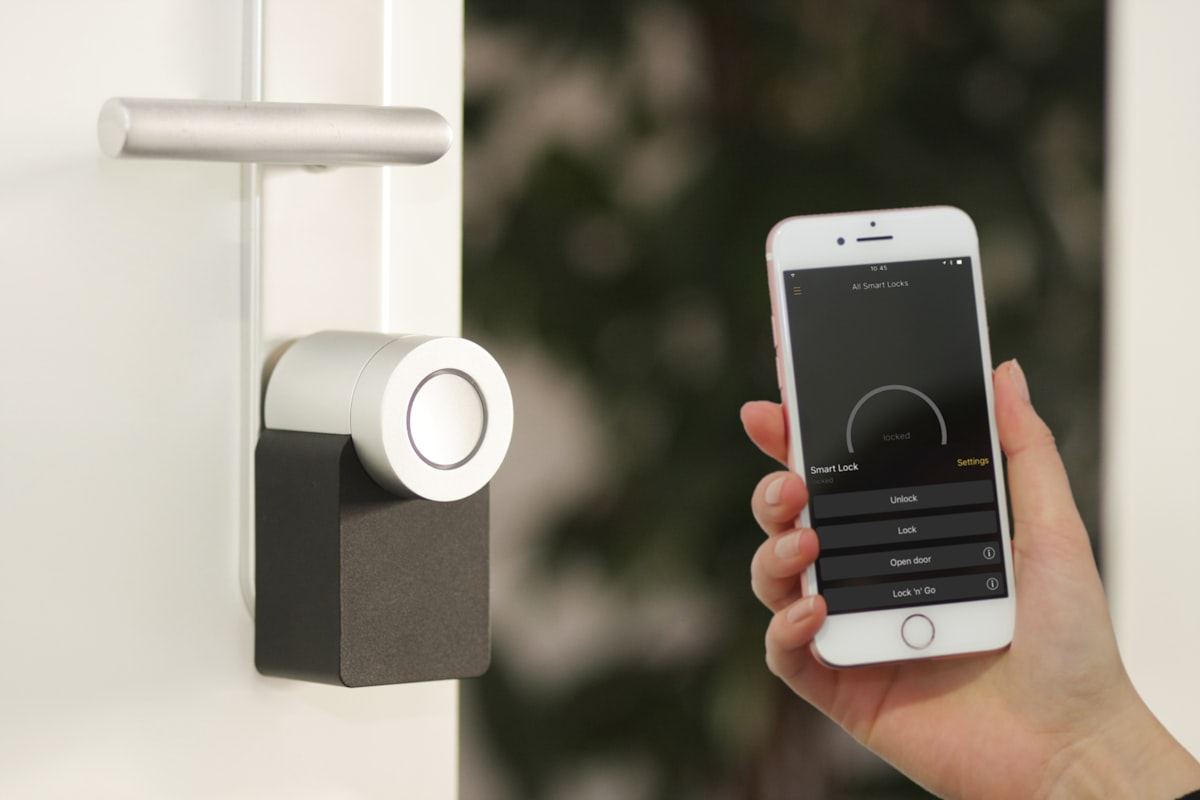
Smart home gadgets can be practical, but they need extra caution because they live inside your home network. A smart light is low risk compared with a smart lock or camera, but all connected devices should be treated seriously. Before buying, ask: does this device work without cloud service? Does it support local control? Does it receive firmware updates? Can I delete stored video or audio? Does the app allow multi-factor authentication? What happens if the internet goes down?
For cameras and doorbells, decide whether you want local storage, cloud storage or both. Cloud storage can be convenient, but it may require subscription fees and creates privacy considerations. For smart locks, choose reputable brands and keep backup access methods. For smart plugs, check power rating and never overload them. For robot vacuums, check mapping privacy, replacement parts and floor compatibility.
Smart home gadgets work best when planned as a system. Random devices from many brands can create too many apps, weak automation and inconsistent updates. If you are starting fresh, choose a small number of products that work together and expand slowly.
18. Audio Gadgets: Earbuds, Headphones and Speakers
Audio gadgets are personal. A pair of earbuds that sounds amazing to one person may be uncomfortable for another. Fit affects sound quality, noise isolation and comfort. If earbuds do not seal well, bass becomes weak and noise cancellation performs poorly. For headphones, weight, clamp force, ear pad material and heat buildup matter as much as sound.
For calls, microphone quality matters more than music tuning. If you take many calls in noisy places, look for real call tests. Noise cancellation is useful, but transparency mode can be equally important for walking, commuting or office use. Gamers should check latency and platform support. Musicians and editors should avoid high-latency wireless audio for timing-sensitive work unless the product is designed for it.
For speakers, consider room size, portability, waterproof rating, battery life and whether stereo pairing is needed. A small speaker is good for personal use but cannot fill a large outdoor area. Waterproof ratings matter near pools, kitchens and travel, but water resistance does not mean indestructible. Always read the exact rating and limitations.
19. Wearables: Smartwatches and Fitness Trackers
Wearables should match your routine, not just your phone. A smartwatch is useful if you want notifications, fitness tracking, quick replies, timers, navigation, music control and health reminders. A simple fitness band may be better if you mainly want steps, sleep and long battery life. A premium watch may offer better sensors, apps, display and build quality, but it may also require more frequent charging.
Sensor data should be treated as helpful information, not medical truth unless the device is specifically cleared for a medical use in your region. Fitness tracking can motivate better habits, but consumer wearables can vary in accuracy depending on activity, skin tone, fit, firmware and sensor design. Use trends more than single readings. If health data matters, discuss concerns with a qualified professional rather than relying only on a gadget.
Privacy is important because wearables can collect sensitive patterns. Review data sharing settings, connected apps, cloud sync and account security. If you stop using a wearable, remove connected permissions and delete stored data when appropriate.
20. Creator Gadgets: Cameras, Microphones, Lights and Storage
Creators often buy gadgets because better tools can improve content quality. But not every creator needs expensive gear. Better lighting and audio usually improve videos more than a new camera. A simple microphone placed correctly can sound better than an expensive microphone used badly. A stable tripod and good light can make a phone video look professional. Before upgrading, identify the weak point in your content: sound, lighting, stability, background, storage or editing speed.
For microphones, choose based on environment. A USB microphone may be perfect for desk recording. A lavalier mic is useful for talking-head videos. A shotgun mic can work for camera setups. Wireless mics are convenient but need battery management and interference testing. For lights, brightness, color temperature control, soft diffusion and mounting matter. For storage, choose reliable drives from trusted sellers, and always keep backups. A fast SSD is useful, but a backup plan is more important than speed alone.
Creators should avoid buying large kits full of weak accessories. A kit with ten items may look like value, but if the tripod shakes, the light is dim and the microphone is noisy, it becomes clutter. Buy fewer, better tools that solve the actual production problem.
21. Travel Gadgets: What Is Actually Worth Packing?
Travel gadgets should be light, reliable and legal to carry. Useful travel tech includes a compact charger, safe power bank, universal adapter, short cables, noise-canceling earbuds, eSIM-capable phone, luggage tracker, waterproof pouch, portable SSD, compact tripod and offline maps. But every extra gadget adds weight and responsibility. A travel gadget is only good if you will actually use it on the trip.
Check voltage and plug requirements before international travel. Many modern chargers support 100-240V, but not all devices do. A universal adapter changes plug shape; it does not always convert voltage. For power banks and spare batteries, check airline and airport rules before flying. Keep power banks in carry-on, protect battery terminals and avoid using damaged battery products.
Travelers should also think about theft and privacy. Use strong device locks, keep backups, avoid unknown public charging stations when possible, and carry a reliable cable. If using Bluetooth trackers, understand how they work and what limitations they have. A tracker can help locate luggage, but it cannot prevent theft by itself.
22. Refurbished, Open-Box and Used Gadgets
Refurbished or used gadgets can save money, but the buying rules should be stricter. Buy refurbished items from official programs or reputable sellers when possible. Check warranty, battery health, cosmetic condition, included accessories and return policy. For phones, tablets, laptops and watches, check activation locks, account locks, network locks and region compatibility. For storage drives, be careful with used products because lifespan and previous use can be hard to verify.
Open-box items can be good value if they were returned unused or lightly used. But inspect carefully. Sometimes open-box means missing accessories, damaged packaging or uncertain history. Used audio products may have hygiene concerns. Used wearables may have worn batteries. Used smart home devices may still be linked to another account if not reset properly.
For safety-related devices such as chargers, power banks, smart locks, cameras and health devices, buying new from a trusted seller is usually safer unless the refurbished source is highly reliable.
23. Children, Family and Shared Gadgets
Family gadgets need extra attention. Tablets, smart speakers, connected toys, cameras and wearables used by children can involve privacy, content control and screen-time concerns. Check parental controls, app permissions, age settings, purchase restrictions and data collection. Do not assume a gadget is safe for a child just because it looks simple.
For shared family devices, set separate user profiles when possible. This protects privacy and keeps recommendations, apps and settings organized. Use strong passwords and avoid sharing one payment account across all devices without purchase controls. For smart speakers and TVs, review voice purchase settings and content filters.
Durability matters for family gadgets. A rugged case, screen protector and warranty may save money. But do not use rugged accessories as an excuse to buy more expensive devices than needed. For children, practical and repairable often beats premium.
24. Environmental Impact and Responsible Gadget Buying
Gadgets create electronic waste when people buy too much, upgrade too often or choose disposable products. Responsible buying does not mean avoiding technology. It means buying devices you will use, choosing durable products, repairing when practical, recycling responsibly and avoiding unnecessary duplicates.
Before upgrading, ask whether a cable, battery, accessory, software update or repair can solve the problem. A slower device may need storage cleanup. A weak desk setup may need a stand and keyboard rather than a new laptop. A phone camera may improve with better lighting instead of a new camera. If you do upgrade, sell, donate or recycle old gadgets through safe channels. Remove personal data before giving away any device.
Responsible buying also protects your budget. A drawer full of unused gadgets is not innovation; it is waste. Choose fewer products that fit your daily routines and last longer.
25. A Practical Gadget Buying Checklist
| Before You Buy | Why It Matters | Quick Action |
|---|---|---|
| Define the exact job | Prevents impulse buying | Write “I need this to…” |
| Check compatibility | Avoids products that do not work with your devices | Search exact model support |
| Verify seller trust | Reduces fake and scam risk | Check seller history and return policy |
| Read long-term reviews | Shows durability and real issues | Look for 3-month or 6-month reviews |
| Check warranty | Protects expensive purchases | Confirm local warranty support |
| Inspect after delivery | Catches wrong or defective items quickly | Test during return window |
26. Best Option by Budget Level
If your budget is low, focus on high-impact essentials: a safe charger, durable cable, protective case, basic earbuds, simple stand or reliable storage. Avoid buying many cheap accessories at once. One good charger and cable may be more useful than five weak gadgets.
If your budget is mid-range, build a balanced setup. For work, that may include an ergonomic keyboard, mouse, webcam and better lighting. For travel, a trusted power bank, compact charger and adapter. For creators, a good microphone, light and tripod. Mid-range buyers should prioritize reliability over luxury branding.
If your budget is premium, spend where daily use justifies it. Premium makes sense for monitors, microphones, headphones, tablets, smartwatches, cameras, storage and productivity devices used every day or for income. Premium does not make sense for gadgets that will sit in a drawer after one week. Even with a high budget, the best choice is still the device that solves the problem.
27. Red Flags That Mean You Should Not Buy
Walk away if the product has no clear brand, no model number, no warranty, no return policy, no support contact, copied images, confusing specs or unrealistic claims. Walk away if reviews mention overheating, fake product, missing accessories, no app support or battery swelling. Walk away if a seller pressures you to pay outside the marketplace. Walk away if the discount is too large to make sense.
Also avoid gadgets that demand unnecessary permissions. A flashlight app does not need contacts. A simple smart plug should not need every phone permission. A camera app should explain storage and sharing clearly. If permissions feel unrelated to the product, choose another option.
Do not buy a gadget only because everyone is talking about it. Viral products often rise quickly and disappear quickly. Wait for real reviews when possible. Good gadgets survive beyond the hype cycle.
28. Final Advice: Buy Fewer, Better, More Useful Gadgets
The gadget world is exciting because technology can genuinely improve life. The right device can save time, improve comfort, protect data, make travel easier, support creativity, improve communication and help build better routines. But the wrong gadget creates clutter, subscriptions, privacy risks and frustration.
The smartest approach is simple: start with your problem, set your budget, check compatibility, verify the seller, read real reviews, understand privacy, inspect after delivery and keep proof of purchase. For connected devices, prioritize updates and account security. For battery products, prioritize safety. For work tools, prioritize comfort and reliability. For travel gadgets, prioritize portability and rules. For family gadgets, prioritize controls and durability.
29. When to Wait Instead of Buying Immediately
Waiting can be a smart buying strategy, especially for gadgets. New products often launch with high prices, limited reviews and early software bugs. After a few weeks or months, real users begin reporting battery behavior, app stability, build quality and warranty experience. Prices may also become more reasonable. Unless you urgently need a device for work, study or travel, waiting for reliable reviews can protect your money.
Seasonal sales can be useful, but only when you already know what you need. Do not let a sale create a need. Before major discount periods, make a short wishlist with target features and fair prices. Then compare actual sale prices against historical normal prices, not only the crossed-out price shown on the store page. Some sellers raise prices before sales and then show dramatic discounts. The best deal is a useful product at a fair price, not a random gadget bought because the timer was running out.
Waiting also helps when a new charging standard, connector, app platform or device generation is about to change. Buying the last version of an old accessory can be fine if it is discounted and still compatible. But if your phone, laptop or smart home ecosystem is changing soon, avoid accessories that may become useless. Think about the next two or three years, not only today.
30. How to Build a Simple Gadget Setup Without Overspending
If you are starting from zero, build your gadget setup in layers. First, buy protection and power: a good case, safe charger, durable cable and power bank if needed. Second, improve comfort: stand, keyboard, mouse, chair-friendly desk accessories or earbuds. Third, add productivity: storage, hub, monitor, webcam or microphone. Fourth, add lifestyle gadgets only after the essentials are working well.
This layered method keeps the budget under control. Many people buy exciting lifestyle gadgets before solving daily pain points. A smart lamp is nice, but if your laptop charger is unreliable, the charger is more important. A premium speaker is enjoyable, but if your work calls sound bad, a microphone or headset is more practical. A fancy desk toy may look good in photos, but an ergonomic keyboard may improve every workday.
Good setups are not built from random products. They are built from repeated use. After buying a gadget, use it for a while before buying the next one. Notice what still slows you down. Notice what you never touch. This habit creates a setup that fits your real life instead of copying someone else's desk, travel bag or smart home.
A great gadget should disappear into your routine. It should make a task easier without creating new problems. It should feel useful after the first week, not only exciting on the first day. Use this guide whenever you are comparing smart devices, tech accessories, wearable products, audio gear, travel electronics or home gadgets. When you buy with a clear purpose, you spend less, waste less and enjoy technology more.